How to redeem your Premium code
It takes about a minute. If you do not have the app yet, install it first, then follow the three steps below.
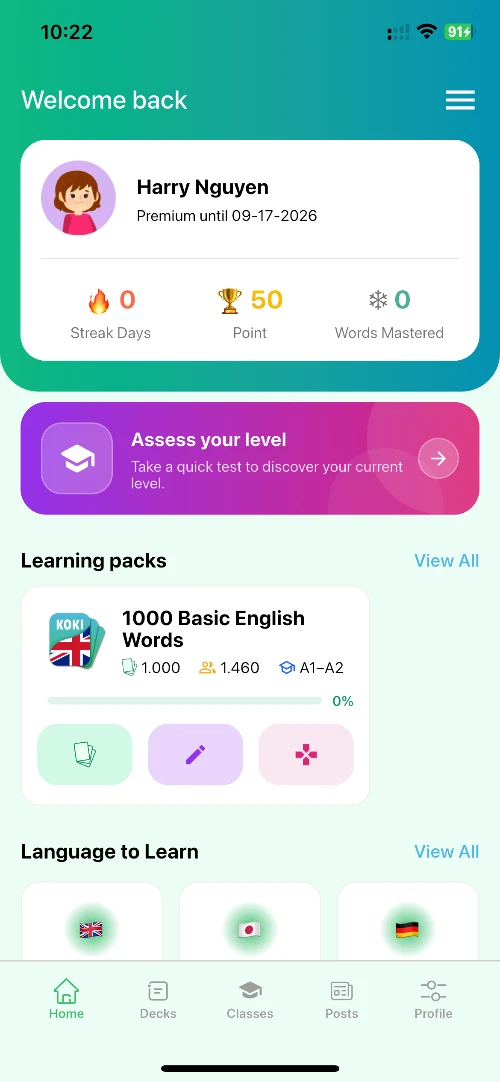
Step 1
Open the app and sign in
Open Koki Flashcards and sign in to your account. The code is applied to the account you are signed in with, so make sure it is the one you want to upgrade.
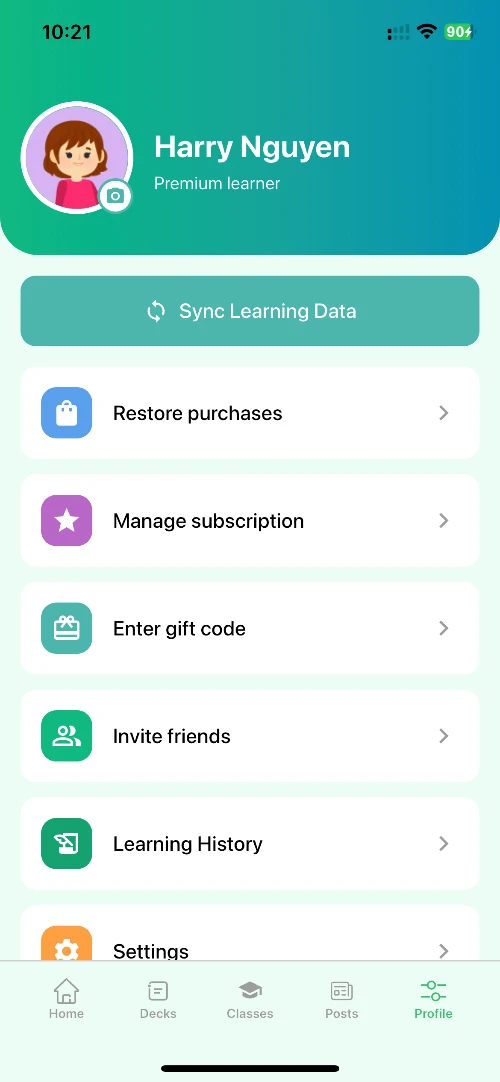
Step 2
Go to gift code entry
Open the Profile tab, then choose Enter gift code.
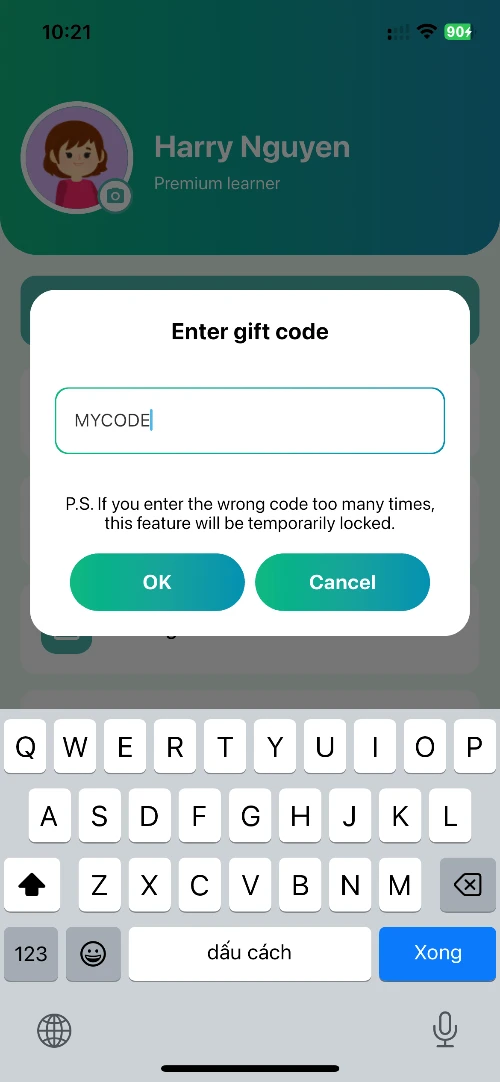
Step 3
Enter the code and confirm
Paste the code from your email into the field and tap Confirm. Premium activates immediately and the new expiry date appears on your Profile page.
Frequently asked questions
I have not received the email with my code.
Codes are sent as soon as your payment goes through. Check your spam folder too. If you still can't find it, contact [email protected] with your order code.
The code says invalid or already used.
Each code works once, for one account. If you have never entered this code and still get an error, contact [email protected] with your order code and a screenshot.
Does the code expire?
Yes. It must be redeemed within 1 month of being issued. The exact date is in the email containing your code.
How many devices can I use Premium on?
Premium is tied to your account, not a device. Sign in with the same account on your devices and Premium follows you.